
Help / Getting Started / 1 min read
User Roles and Permissions
Choose from the six assignable organization roles and understand each role's data scope.
Verified August 13, 2026 · FastIQ staging Admin workspace v1.10.2; role definitions checked in product source
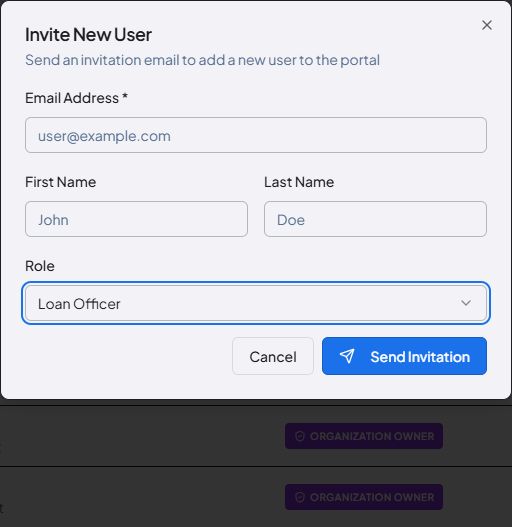
FastIQ uses organization roles to control both available actions and the records a user can work with. The current invitation form offers six assignable roles.
Invite a user and assign a role
- Open Admin > Users.
- Select Invite User.
- Enter the user's email address, first name, and last name.
- Choose one of the six assignable roles, then select Send Invitation.
- Use the Staff Users and Invitations tabs to review active users and pending invitations.
Assignable roles
- Organization Administrator: manages users, settings, and organization-wide operations, excluding ownership transfer. Data scope: organization-wide.
- Branch Manager: manages users and work assigned to the manager's team or branch. Data scope: team.
- Loan Officer: originates and manages the officer's own leads, borrowers, pricing, and loans. Data scope: own records.
- Loan Officer Assistant: works on records assigned to the assistant or to a supported loan officer. Data scope: assigned records.
- Processor: internal processor with organization-wide processing access. Data scope: organization-wide processing.
- Read-Only / Auditor: can inspect permitted records but cannot modify them. Data scope: read-only.
Organization Owner
The Organization Owner has full organization control, including billing and ownership. It is not an assignable choice in the standard Invite User dialog.